

Fantasy Dragon Design Studio
Reviews
Description
Game Introduction
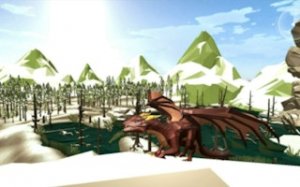
Fantasy Dragon Design Studio is a free online creative simulator where players design their own magical dragon companions. The game provides a blank canvas for artistic expression, allowing users to choose every aspect of their dragon's appearance. From body colors and patterns to wings, tails, eyes, and magical accessories, each decision shapes a unique creature. This game is designed for players who enjoy art, fantasy, and self-expression, offering a calm, non-competitive space to experiment and relax. Every session produces a new dragon that reflects personal style, with no goals or pressures—just pure creative freedom. The intuitive interface makes it easy for anyone to start designing immediately, whether they are a child or an adult. The game emphasizes creativity over competition, making it a welcoming environment for all skill levels.
How to Play
Playing Fantasy Dragon Design Studio is straightforward and enjoyable. Players begin by selecting a base color for their dragon. Then, they browse through categories like patterns, eyes, wings, tails, and accessories, using mouse clicks or taps to make choices. Each option updates the dragon in real time, so the effect is visible instantly. Players can mix and match different elements until they are satisfied with the look. There are no rules or time limits, so the process can be as long or as short as desired. Once the dragon is complete, players can capture a screenshot to share with friends or in the game's community. The process is designed to be simple and enjoyable for all ages.
Game Features
Key features include an unlimited color palette for personalization, diverse patterns and decorations for unique designs, expressive eyes and faces to add personality, majestic wings and tails that enhance the fantasy feel, and magical accessories like gems and crowns. The game also offers easy sharing so players can show off their creation. It is family-safe and suitable for all ages, making it a great choice for kids and juniors who enjoy creative play. As a puzzle-style creativity game, it encourages experimentation and artistic expression without any competitive pressure.
Tips for Success
To get the most out of Fantasy Dragon Design Studio, take time to explore all available options. Experiment with different color combinations and patterns to discover unique looks. Trying unusual pairings can lead to the most magical results. If feeling stuck, start with a simple base and gradually add details. The game is meant to be relaxing, so enjoy the process without worrying about the final result. Sharing creations with others can inspire new ideas and make the experience more fun.







































Player Comments
Sign in to comment
You must be logged in before posting a review or rating.
No account? Create one
No comments yet. Be the first to comment!