First Defender: Survival Action
Reviews
Description
Game Introduction
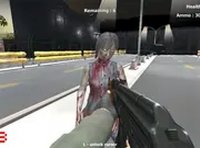
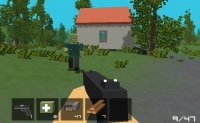
First Defender: Survival Challenge is a free browser-based action game where your primary goal is to survive against relentless waves of creatures. As the first line of defense, you must grab a blaster and eliminate every creature that appears on your path. The game offers a straightforward survival experience with escalating difficulty, making each wave more intense than the last. Designed for desktop play, it works best on computers using a keyboard or mouse. It is free to play and runs directly in your browser, with an option to switch to full screen mode for a more immersive experience.
How to Play
To play First Defender: Survival Challenge, you use your mouse to aim and click to shoot at the creatures. Movement is controlled via keyboard keys, allowing you to dodge incoming attacks. As you progress, you will encounter power-ups and ammo scattered around the map. Collect these to keep your blaster ready and switch between different items as needed. Each wave brings more creatures, so staying alert and managing your resources is key. The ultimate goal is to survive as long as possible and overcome all creatures in each wave.
Game Features
Exciting survival action with increasing difficulty waves. Multiple power-ups to collect that enhance your abilities. Simple controls that are easy to learn, making the game accessible for quick sessions. The game is free to play and runs directly in your browser without any downloads. Full screen mode is available for a more engaging experience. The challenge escalates as you progress, providing a satisfying test of your reflexes and strategy.
Tips for Success
Practice your aim and movement to efficiently eliminate creatures while avoiding damage. Prioritize collecting power-ups and ammo to maintain your firepower throughout the waves. Stay on the move to make yourself a harder target for creatures. Learn the patterns of different creature types to anticipate their attacks. Manage your resources wisely, switching between items when necessary. As the waves intensify, staying calm and focused will help you survive longer.